

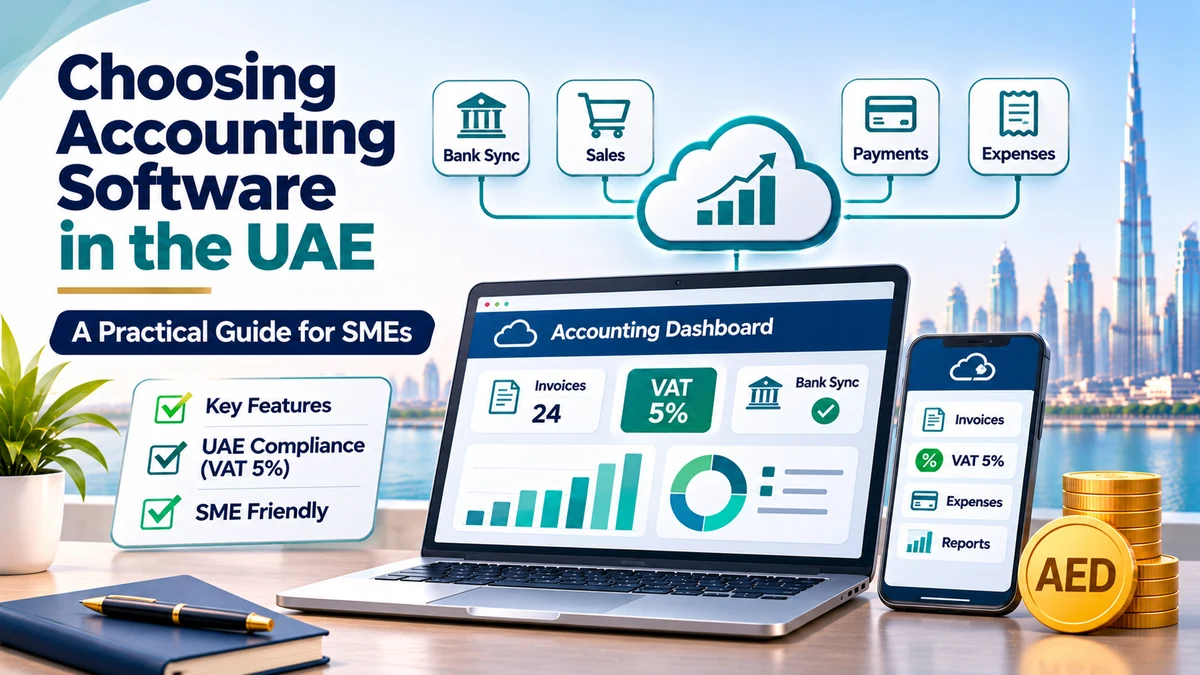
Choosing the right accounting software UAE businesses can depend on is one of the most important operational decisions a small company makes. The right system saves hours of manual work, keeps VAT records accurate, produces reliable financial reports and grows with the business. The wrong one creates messy data, frustrated staff and costly migrations a year or two later.
With dozens of local and international platforms available, selecting accounting software for small business UAE owners actually need can feel overwhelming. This guide explains what accounting software does, which accounting software features matter most in the UAE, how cloud and desktop systems compare, and a practical step-by-step framework, including a comparison matrix, to help you choose with confidence.
What Is Accounting Software?
Accounting software is a digital system that records, organises and reports a business’s financial transactions. Instead of maintaining spreadsheets and paper files, the software handles core accounting tasks such as:
- Creating and sending sales invoices and quotations
- Recording supplier bills and expenses
- Connecting to bank accounts and reconciling transactions
- Calculating VAT on sales and purchases
- Tracking receivables, payables and inventory
- Producing financial statements such as the profit and loss statement and balance sheet
Modern business accounting tools also integrate with payment gateways, e-commerce platforms, payroll systems and CRM tools, turning accounting into a connected part of daily operations.
Why Do Small Businesses Need Accounting Software?
Spreadsheets may work for a very small business in its first months, but they quickly become risky as transaction volumes grow. Accounting software helps UAE SMEs to:
- Stay VAT compliant: generate tax invoices with the required details, calculate VAT correctly and prepare data for VAT returns.
- Support corporate tax readiness: maintain organised financial records that support corporate tax calculations and filings.
- Save time: automate repetitive tasks such as recurring invoices, bank feeds and payment reminders.
- Reduce errors: minimise manual data entry and formula mistakes.
- Improve cash control: see who owes you money and what you owe in real time.
- Make better decisions: access up-to-date reports on profitability, expenses and cash.
- Prepare for audits and finance applications: provide banks, auditors and investors with clean, structured records.
What Is Cloud-Based Accounting?
Cloud accounting software UAE businesses use runs online through a web browser or mobile app, with data stored securely on the provider’s servers. You pay a monthly or annual subscription rather than buying a one-time licence.
Is Cloud Accounting Software Suitable for SMEs?
For most UAE SMEs, cloud accounting is now the preferred option. The table below compares the main types of software:
| Factor | Cloud Accounting Software | Desktop / On-Premise Software | ERP Systems |
|---|---|---|---|
| Access | Anywhere, any device with internet | Usually limited to installed computers or office network | Cloud or on-premise, multi-department access |
| Cost structure | Monthly or annual subscription | Upfront licence plus upgrade fees | Higher licence, implementation and support costs |
| Updates | Automatic | Manual installation | Managed by vendor or implementation partner |
| Integrations | Wide app marketplaces | More limited | Extensive, often custom-built |
| Collaboration with accountant | Easy, real-time shared access | Requires file sharing or remote access | Role-based multi-user access |
| Best for | Startups, freelancers, SMEs | Businesses with specific offline needs | Larger or complex multi-entity businesses |
Which Features Should UAE Businesses Look For?
When comparing accounting software features, focus on what your business needs today and what it will need in the next two to three years.
1. UAE VAT Functionality
Strong UAE VAT accounting software should:
- Support the 5% standard rate, zero-rated, exempt and out-of-scope transactions
- Handle reverse charge on imports of goods and services
- Produce tax invoices and tax credit notes with the information required by UAE VAT rules
- Display your Tax Registration Number (TRN) and customer TRNs where relevant
- Generate VAT reports mapped to the VAT return format, including emirate-wise breakdown of sales
- Support bilingual (English and Arabic) invoices if required
- Export data in the formats the Federal Tax Authority (FTA) may request during an audit, such as the FTA Audit File
2. E-Invoicing Readiness
The UAE is introducing a phased electronic invoicing framework for business transactions. When choosing software, ask vendors how they plan to support UAE e-invoicing requirements, including integration with accredited service providers. Choosing a platform with a clear e-invoicing roadmap can prevent a forced migration later.
3. Bank Feeds and Reconciliation
Look for direct or file-based bank feeds with UAE banks and automated matching rules. Fast, accurate bank reconciliation is one of the biggest time savers in bookkeeping software Dubai businesses use.
4. Multi-Currency Support
Many UAE businesses trade in USD, EUR, GBP, SAR, INR and other currencies. Your software should handle multi-currency invoices, bank accounts and automatic exchange rate updates, while reporting in AED.
5. Inventory Management
Trading businesses need stock tracking, valuation methods such as FIFO or weighted average, multiple warehouses and landed cost allocation. Some platforms include this natively, while others require an add-on.
6. Reporting and Dashboards
Check that you can easily produce profit and loss statements, balance sheets, cash flow statements, receivables and payables ageing, budget vs actual reports and VAT summaries, with filters by branch, project or cost centre.
7. Integrations
Consider how the software connects with:
- Payment gateways and POS systems
- E-commerce platforms such as Shopify, WooCommerce or marketplaces
- Payroll and WPS-related processes
- CRM and project management tools
- Expense management and receipt-scanning apps
8. User Access and Security
Look for role-based permissions, audit trails showing who changed what, two-factor authentication, regular backups and clear data protection policies.
9. Scalability
Make sure the software can handle more users, entities, transactions and modules as your business grows, without forcing a costly switch.
10. Local Support
Check whether the vendor or its partners offer support in UAE time zones, local implementation partners and training resources.
Does Accounting Software Support VAT Calculations?
Most reputable platforms used in the UAE support VAT calculations, but the depth of support varies. Some offer only basic tax rates, while others provide full UAE VAT return reports, reverse charge handling and audit file exports. Always test VAT functionality during a free trial with real examples from your business, including imports, credit notes and zero-rated exports.
Remember that software only calculates VAT based on the settings and tax codes you choose. Incorrect setup will still produce incorrect returns, which is why initial configuration by an experienced accountant is so valuable.
Can Accounting Software Automate Bookkeeping?
Yes, to a significant extent. Accounting automation for SMEs can include:
- Bank rules: automatically categorising recurring transactions such as rent, DEWA bills or subscriptions
- Recurring invoices and bills: for retainers, rent or regular suppliers
- Automated payment reminders: reducing time spent chasing overdue invoices
- Receipt capture with OCR: scanning bills and extracting data automatically
- E-commerce sync: importing online orders, fees and payouts automatically
- AI-assisted categorisation: suggesting accounts for new transactions based on history
However, automation does not replace accounting judgement. Someone still needs to review entries, reconcile accounts, handle adjustments such as depreciation and accruals, and ensure VAT and corporate tax treatments are correct.
How Should Businesses Compare Accounting Software?
A simple weighted scoring matrix helps you compare options objectively. Rate each shortlisted platform from 1 to 5 on each criterion, multiply by the weight, and add up the scores.
| Criteria | Weight | Software A | Software B | Software C |
|---|---|---|---|---|
| UAE VAT and compliance features | 25% | 5 | 4 | 3 |
| Ease of use | 15% | 4 | 5 | 3 |
| Bank feeds and reconciliation | 15% | 4 | 4 | 3 |
| Inventory and multi-currency | 15% | 3 | 4 | 5 |
| Integrations | 10% | 4 | 5 | 4 |
| Reporting | 10% | 4 | 4 | 5 |
| Total cost of ownership | 10% | 4 | 3 | 2 |
| Weighted score (out of 5) | 100% | 4.10 | 4.20 | 3.50 |
Adjust the weights to suit your business. An e-commerce business might weight integrations more heavily, while a trading company might prioritise inventory features.
Popular Options Used by UAE Businesses
Commonly used platforms in the UAE include Zoho Books, QuickBooks Online, Xero, Odoo, Tally and Microsoft Dynamics 365 Business Central, among others. Each has different strengths, pricing models and levels of UAE localisation. Features and pricing change frequently, so always confirm current UAE VAT, e-invoicing and support capabilities directly with the vendor before deciding.
What Should Businesses Consider Before Selecting Software?
Total Cost of Ownership
Look beyond the monthly subscription. Include user licences, add-on modules (inventory, payroll, projects), payment processing fees, implementation and data migration, training, ongoing support and potential upgrade costs as your business grows.
Your Business Model
A service consultancy, a general trading company, an e-commerce store and a contracting firm all have very different requirements. Choose software that fits how you actually operate.
Data Migration
If you are switching systems, plan how opening balances, customer and supplier lists, open invoices, inventory and historical data will be transferred. Ideally, migrate at the start of a financial year or VAT period.
Who Will Use It?
Consider the skills of your team and your external accountant. The most powerful software is useless if nobody uses it correctly.
Free Trial and Testing
Use free trials to test real scenarios: issue a VAT invoice, record an import with reverse charge, reconcile a bank statement and run a VAT report.
Step-by-Step Process to Choose the Right Accounting Software
- List your requirements: VAT, inventory, multi-currency, projects, users and integrations.
- Set a realistic budget: including total cost of ownership.
- Shortlist three to four platforms with good UAE localisation.
- Request demos and run free trials using real transactions.
- Score each option using a weighted comparison matrix.
- Check references and reviews from similar UAE businesses.
- Plan implementation: chart of accounts, tax codes, opening balances and user roles.
- Train your team and set clear bookkeeping procedures.
A well-designed chart of accounts is a critical part of setup. Our guide on chart of accounts for UAE businesses explains how to structure it properly.
Common Mistakes When Choosing Accounting Software
- Choosing based on price alone
- Ignoring UAE VAT and e-invoicing requirements
- Selecting software too basic for planned growth
- Paying for complex ERP features you will never use
- Skipping proper setup of tax codes and the chart of accounts
- Migrating messy, unreconciled data into a new system
- Not involving your accountant in the decision
Frequently Asked Questions
What accounting software should a small business use in the UAE?
There is no single best option for every business. The right accounting software for small business UAE owners should choose depends on business model, transaction volume, VAT needs, inventory requirements, integrations and budget. Shortlist platforms with strong UAE localisation and test them with real transactions.
Which accounting software supports UAE VAT?
Many international and regional platforms, including widely used cloud systems, offer UAE VAT features. The level of support differs, so confirm capabilities such as VAT return reports, reverse charge handling and audit file exports with each vendor.
Is free accounting software enough for a UAE business?
Free tools may suit very small, non-VAT-registered businesses temporarily, but most VAT-registered SMEs need paid software with proper VAT reporting, audit trails and support.
How can accounting software simplify financial reporting?
Accounting software automatically compiles transactions into financial statements and management reports, allowing business owners to view profitability, cash position and VAT liabilities at any time, without manually building reports in spreadsheets.
Do I still need an accountant if I use accounting software?
Yes. Software processes data, but an accountant ensures correct setup, reviews entries, handles adjustments, prepares VAT and corporate tax filings and interprets the numbers for better decisions.
Conclusion
The best accounting software UAE SMEs can choose is the one that fits their business model, supports UAE VAT and future e-invoicing requirements, automates routine bookkeeping and can grow with the company. By defining your requirements, comparing options with a weighted matrix and testing real scenarios, you can select business accounting tools that save time and improve financial control.
Need help selecting, setting up or migrating to new accounting software? 360Bizs can help you configure your system correctly, from chart of accounts and VAT codes to ongoing bookkeeping support. Explore our accounting and bookkeeping services or speak to our team today.